


iZotope Tonal Balance Control 3
Referencing & EQ Plugin


Your Compass To Confidence In Every Mix
Ready to raise your tracks to pro standards? Tonal Balance Control 3 is your guide.
First, pick any audio to compare your mix against.
Choose from 30+ genre targets or capture your own from anywhere - even blend to create your perfect profile.
Next, see the story of your sound with 4 easy-to-use meters: Tonal Balance, Vocal Balance, Dynamics, and Stereo Width.
Finally, start bridging the gap to your gold-standard with a built-in EQ.
Plus, dive deeper with seamless Ozone, Neutron, and Nectar integration.
Tonal Balance Control 3 is available as both a standalone app and plugin.
Use the standalone app to turn any audio into a target, then shape your sound with the plugin in your digital audio workstation (DAW).
A Sense Check for Your Sound
See how your tracks stack up against the pros with the classic tonal balance meter, and easily see how your audio strays from the target with the brand-new Leveled View.
Then, complete the picture with TBC's three new meters: visualize vocals with Vocal Balance to confidently sit them in the sweet spot, analyze energy and impact with Dynamics, and assess immersion with Stereo Width.
Capture Inspiration Anywhere
Got a go-to reference track or a gold standard you wish you'd mixed? Turn any audio into your guide with the new standalone desktop app, letting you capture targets from any source like Spotify or YouTube.
And inside your DAW, instantly capture live audio to create new targets - letting you save the profile of full tracks or mix elements for later, or easily compare songs across an album.
Pick Your Target, or Make Your Own
Dive into the redesigned Target Library to match your style with 30+ genre and subgenre curves - from classic hip hop to punk rock to K-pop.
Can't find the exact target you want, or want something tailored from targets you've captured? The new Target Blender has your back, letting you create custom references by combining any two targets in your library.
Box-ready or blended, the choice is yours.
See It, Shape It, Ship It
Make instant tonal tweaks with TBC 3's new built in Hybrid EQ, featuring static and dynamic nodes - a perfect combo with the new Leveled View to quickly close the gap to your targets.
No need to jump between multiple plugins, now you can make the adjustments you need directly from the Tonal Balance Control GUI.
Integration with Ozone, Neutron, and Nectar
See something in Tonal Balance Control that makes you want to revisit your mixing and mastering decisions?
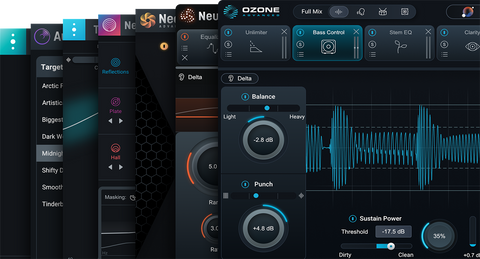
For deeper editing, connect to Ozone, Neutron, and Nectar EQs directly within Tonal Balance Control, or load your custom targets into the trio's Assistants to balance your track with iZotope's full mixing, mastering, and vocal toolkits.
Features
- 3 Tonal Balance Meter Views - Easily compare your track to your target’s tonal balance. Choose the classic Broad or Fine Views - or use the new Leveled View for easier comparison and EQing.
- 30+ Genre Targets - Load up dozens of genre targets built from analyzing hundreds of professional masters; from classic hip-hop to K-pop and tons more.
- Extra Meters - Compare your track to even more aspects of your favorite references with 3 new meters - Vocal Balance, Dynamics, and Stereo Width.
- Desktop App & Target Capture - Capture targets from any audio on your system, from your favorite streaming services like Spotify and Apple Music to video platforms like YouTube.
- Target Library & Target Blender - Search, filter, and favorite your targets for easy access, and design the perfect reference for your mix by blending any two targets in your library.
- Create targets from DAW Audio - Turn DAW audio into new targets from the TBC plugin. Save your mastered tracks as targets for later and ensure consistency across an album or EP.
- Built-in Hybrid EQ - Make instant adjustments directly on the spectrum with a built-in EQ and dynamic nodes. A powerful combo with the new Leveled View.
- Low-End Crest Factor Meter - Well-balanced lows can make or break a mix. Check the dynamics of your bass frequencies in a dedicated low-end meter.
System Requirements
- MacOS 14 Sonoma and above
- Officially supported up to MacOS 26 Tahoe
- Windows 10 and above (64-bit only)
- Intel, AMD, or Apple Silicon CPU
Plugin Formats
AAX Native, AU, VST3, and Standalone
Available Bundles



-
00
Days
-
00
Hours
-
00
Mins
-
00
Secs
-
Regular price
USD$129.00


Sent by a human, normally it's very quick! But sometimes it can take up to 24 hours.


