


Audiofier Seven
Virtual Instrument for Kontakt Full



7 Real-Time Recallable Ambient & Cinematic Layers
SEVEN is a versatile pads and atmosphere generator featuring seven layers capable of loading any of the 200 included multi-sampled sound sources.
Its flexible playing modes allow for dynamic and evolving soundscapes by interchanging layers.
By utilizing the provided key switches (F0 to B0), users can select and combine multiple layers simultaneously.
All keys from C1 upwards are playable.
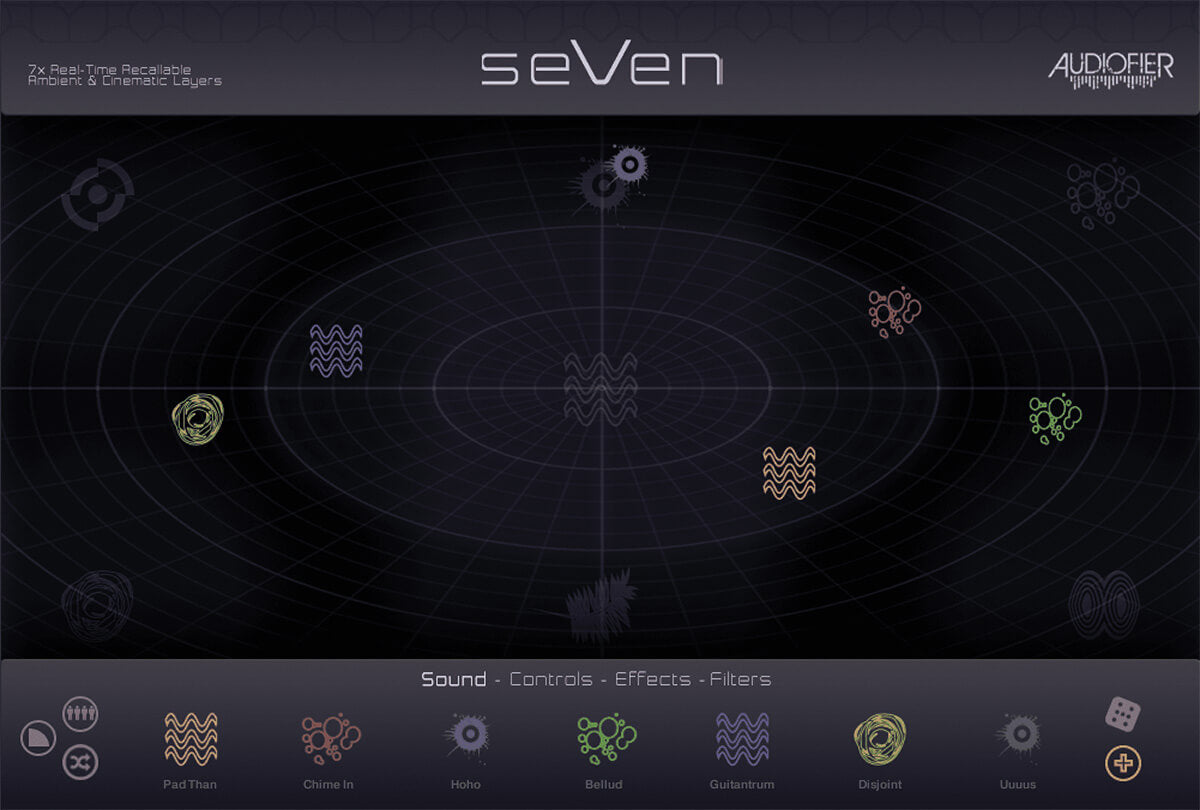
The main GUI features a sound pool where icons representing active layers can be dragged to explore different sound sources.
As layers encounter new sound category areas, their icons dynamically change to visually reflect the corresponding sound character, while retaining their original color for easy layer identification.
Features
- 200 Sound Sources
- Over 40 Snapshots
- Play Modes:
- Add/Remove Layers via Keyswitch
- One layer at once via Keyswitch
- Random layer at once
- Random Multi Layers at once
- Sequential layers volume cross fade
- Volume cross fade through all layers
- Add layers via mod wheel volume
- Persistent layer mode
- XY Delay & Convolver with unique IRs
- Master Filter Cutoff via Modwheel
- Continuously changing Volume, Pitch, Pan and Filter
- Bi-Directional Pitch Bend per Layer
- Several Filter Types per layer
System Requirements
- Native Instruments Kontakt 5.8.1 and above (NOT Kontakt Player)
- MacOS 10.10 Yosemite and above
- Officially supported up to MacOS 26 Tahoe
- Windows 7 and above (32 and 64-bit)
- Intel, AMD, or Apple Silicon CPU
- 4GB RAM or more
- 7.85GB free storage space
Plugin Formats
AAX Native, AU, Standalone, VST2, VST3
User Manual


